Your FAQ Page Is a Graveyard of Missed Retention Opportunities
Somewhere on your website sits an FAQ page. It was probably created years ago, updated sporadically, and forgotten between updates. It contains questions your team thinks customers might ask, written in corporate language that doesn't match how customers actually talk. This neglected page is cost...
11 min read · 22 November 2025
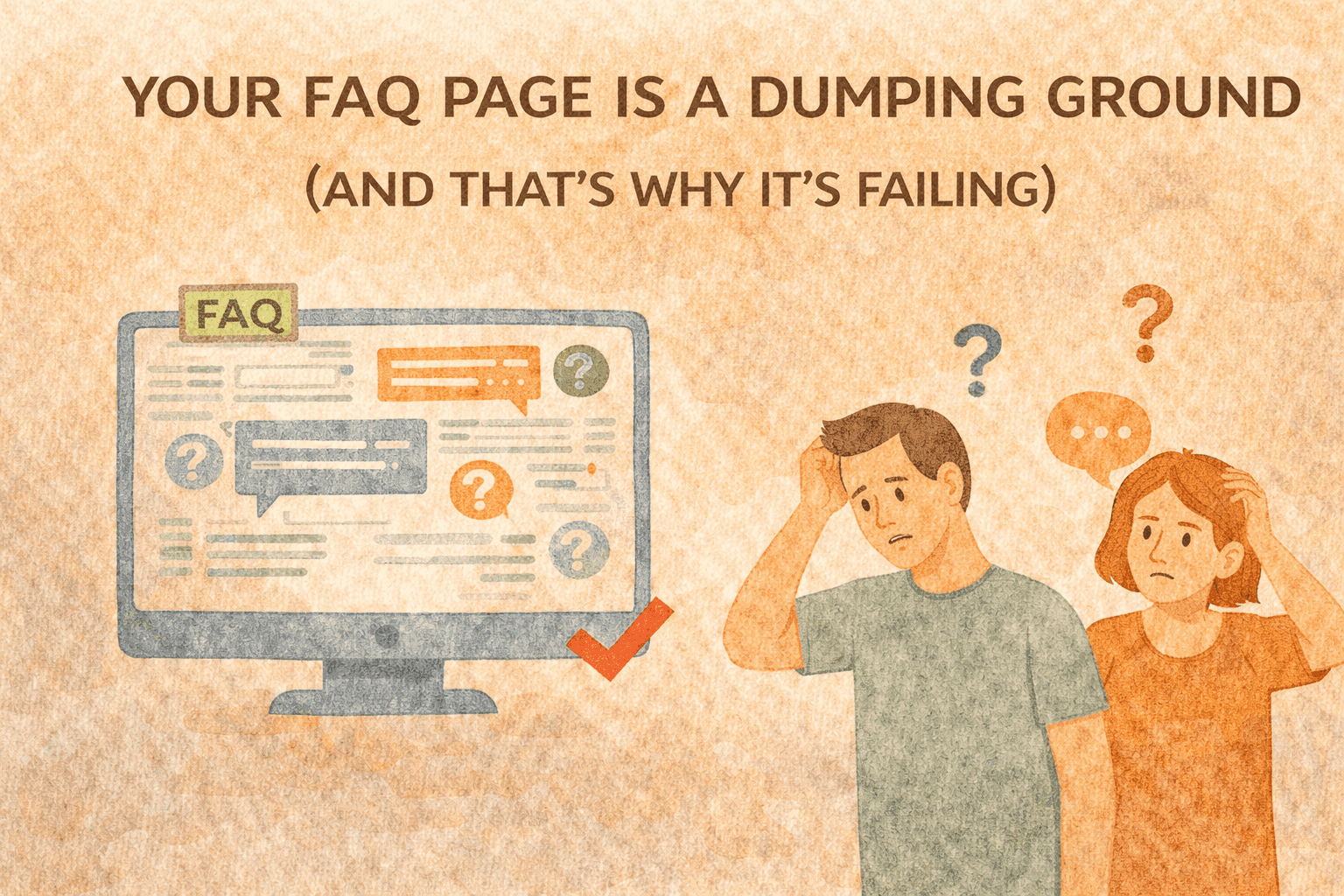
The Neglected Asset: Why FAQs Fail
Somewhere on your website sits an FAQ page. It was probably created years ago, updated sporadically, and forgotten between updates. It contains questions your team thinks customers might ask, written in corporate language that doesn't match how customers actually talk.
This neglected page is costing you customers.
81% of customers try self-service first. Your FAQ is often their first stop. When it fails them - when they can't find answers, when the answers don't address their real questions, when the page is confusing to navigate - they face a choice: contact support or leave. A comprehensive knowledge base complements your FAQ with deeper, searchable content that handles more complex questions.
Many leave.
The customers who contact support cost you money. Support tickets cost $6-12 each. Every question your FAQ fails to answer becomes a support ticket that costs 100x more to resolve.
But the customers who leave are the real cost. They had a question. They couldn't find the answer. They lost confidence in your brand. They bought from someone else - or they churned entirely.
Your FAQ page isn't a static reference document. It's an active touchpoint in the customer journey. When it works, it reduces support costs, increases purchase confidence, and improves retention. When it fails, it does the opposite.
Most FAQ pages fail.
The Anatomy of FAQ Failure
Failure 1: Company-Centric Questions
Your FAQ contains questions your company wants to answer, not questions customers actually ask.
"What makes [Brand] different?" isn't a question customers type into your search bar. "Will this fit my [specific situation]?" is. But most FAQs are stuffed with marketing-adjacent questions that serve the company rather than the customer.
Failure 2: Static Content
Your FAQ was written once. Maybe it gets updated when someone remembers. Meanwhile, customer questions evolve constantly - new products launch, policies change, seasonal concerns emerge.
Static FAQs become progressively less relevant. Questions that mattered last year aren't asked anymore. Questions customers ask today aren't addressed at all.
Failure 3: Poor Findability
Customers have a specific question. Your FAQ has 47 items organized by categories that made sense to your team but not to customers. Finding the right answer requires scrolling, clicking, guessing at categories, and hoping.
If customers can't find the answer in seconds, the FAQ has failed - even if the answer technically exists somewhere.
Failure 4: Generic Answers
"Shipping typically takes 5-7 business days." That's not helpful when a customer needs to know if their order will arrive by Saturday. Generic answers don't address specific customer concerns.
88% of customers expect self-service portals to work. They expect those portals to actually work - to provide answers that address their specific situations, not corporate boilerplate.
The Retention Impact of Self-Service
FAQ optimization isn't about reducing support costs. It's about improving customer experience at a critical moment.
The Question Moment
When a customer has a question, they're at a decision point. They might be considering a purchase and need reassurance. They might have bought something and need help. They might be frustrated and considering leaving.
This question moment is high-stakes. How you handle it determines what happens next.
77% of customers say self-service improves their experience. Effective self-service doesn't just resolve the immediate question. It builds confidence in the brand. It demonstrates competence. It signals that you anticipate customer needs and have prepared for them.
Ineffective self-service does the opposite. It signals incompetence. It creates frustration. It erodes the trust that drives repeat purchases.
The Resolution Speed Factor
Self-service is instant. Support is not.
Even excellent support requires waiting - for a response, for an agent, for resolution. During that wait, customer satisfaction erodes. Purchase decisions get delayed or abandoned. Frustration builds.
AI chatbots can answer faster than humans. But an optimized FAQ handles them even faster - no interaction required. The customer finds the answer, their question is resolved, they move forward. No friction. No waiting.
The Confidence Connection
56% of online shoppers return to sites with helpful self-service. The same principle applies to self-service: customers return to sites that help them.
A robust, helpful FAQ signals that you've thought through the customer experience. It demonstrates expertise. It builds the confidence that drives repeat purchases.
53% of retailers use personalized self-service. Self-service optimization is a form of personalization - providing the specific information each customer needs at the moment they need it.
The Self-Service Revenue System: Transforming FAQs into Retention Tools
Stop thinking about your FAQ as documentation. Start thinking about it as a customer experience touchpoint that either builds or erodes loyalty.
The Self-Service Revenue System (SSRS) has four components:
Component 1: Question Intelligence
Know what customers actually ask - not what you assume they ask.
Mining Real Questions:
Support Ticket Analysis: Your support inbox is a goldmine of actual customer questions. Categorize tickets by question type. Identify the questions that come up repeatedly. These are your FAQ priorities.
If you're getting 50 tickets a month asking about return policies, that question needs a prominent, comprehensive FAQ answer. If you're getting 2 tickets about warranty terms, that's less urgent.
Search Data: What are customers searching for on your site? Search queries reveal questions in customers' own language. Track what terms customers search for. Note which searches yield results and which don't.
Zero-result searches are FAQ gaps. Customers asked a question. Your site had no answer. That's a problem to fix.
Live Chat Logs: Chat conversations capture questions in real-time. Review chat transcripts to identify common questions, especially those that get asked early in conversations before issues escalate.
Social and Review Mining: Questions appear in product reviews, social media comments, and community discussions. "Does this work with X?" "How long does Y last?" These are FAQ candidates.
Question Prioritization:
Not all questions deserve equal FAQ prominence. Prioritize by:
Frequency: How often is this asked? Impact: What happens if customers can't find the answer? (Abandoned carts? Churn?) Complexity: Is this answerable in self-service or does it require human judgment?
High-frequency, high-impact, answerable questions should be prominent and comprehensive. Low-frequency, low-impact questions can be deeper in the hierarchy.
Component 2: Answer Architecture
Structure answers to actually help customers, not to check a documentation box.
Answer Design Principles:
Lead with the Answer: The first sentence should answer the question. Don't bury the answer after context, caveats, or corporate language.
Bad: "At [Brand], we take pride in our customer-focused approach to shipping. Our logistics team works diligently to ensure timely delivery. Standard shipping typically takes..."
Good: "Standard shipping takes 5-7 business days. Express shipping (2-3 days) is available at checkout for $X."
Address the Why: Customers often have underlying concerns beyond the literal question. Address those too.
Question: "What's your return policy?" Underlying concern: "Will I be stuck with this if it doesn't work?"
Answer should cover policy details AND reassure about the concern.
Provide Specifics: Generic answers don't help. Specific answers do.
Bad: "Shipping times vary based on location." Good: "Domestic orders: 5-7 business days. International orders: 10-14 business days. [See delivery estimates by region]"
Anticipate Follow-Ups: When customers ask one question, what do they usually ask next? Include that information or link to it.
"Standard shipping takes 5-7 business days. [How do I track my order?] [What if my order is delayed?]"
Format for Scanning:
Customers scan. They don't read. Format answers accordingly:
- Short paragraphs
- Bullet points for lists
- Bold key information
- Clear headers for long answers
60% of consumers expect instant answers. Make your FAQ fast to use.
Component 3: Navigation Engineering
Customers must be able to find answers instantly. If finding the answer takes more than 10 seconds, your FAQ has failed.
Search-First Design:
The primary navigation for your FAQ should be search. Categories are secondary.
Intelligent Search:
- Understand synonyms ("shipping" = "delivery")
- Handle typos and misspellings
- Suggest questions as users type
- Return relevant answers, not exact matches
Search Analytics: Track what gets searched. Track what gets clicked after search. Track what leads to support contact after search (indicating the FAQ failed).
Use this data to improve both content and search functionality.
Category Structure:
Categories should match customer mental models, not internal org charts.
Bad: "Policies" / "Logistics" / "Product Information" Good: "Ordering & Payment" / "Shipping & Delivery" / "Returns & Refunds"
Categories should be:
- Mutually exclusive (questions clearly belong in one category)
- Collectively exhaustive (all questions fit somewhere)
- Customer-language (terms customers use, not internal jargon)
Progressive Disclosure:
Start with the most important information. Let customers dig deeper if needed.
Level 1: Direct answer to the question Level 2: Additional details and edge cases Level 3: Full policy or documentation
Most customers need Level 1. Don't bury it under Levels 2 and 3.
Component 4: Dynamic Optimization
Your FAQ should evolve based on data, not assumptions.
Continuous Improvement Cycle:
Monitor: Track FAQ performance metrics:
- Search success rate (% of searches that lead to clicks)
- Contact rate (% of FAQ visitors who then contact support)
- Bounce rate (% who leave immediately)
- Time on page (longer isn't always better - could indicate frustration)
Identify Gaps:
- Questions being asked that aren't in the FAQ
- FAQ answers that aren't resolving issues (high contact rate after viewing)
- Categories or pages with high bounce rates
Update:
- Add new questions monthly based on support ticket analysis
- Revise underperforming answers
- Remove or archive outdated content
- Adjust navigation based on usage patterns
Test:
- A/B test answer formats
- Test different category structures
- Test search improvements
Seasonal and Contextual Updates:
FAQ needs change throughout the year:
- Pre-holiday: Shipping deadlines, gift options
- Post-holiday: Returns, exchanges
- Sale periods: Discount policies, stock availability
Proactively update FAQ content for predictable seasonal concerns rather than waiting for support tickets to spike.
Phase 1: FAQ Audit and Foundation (Days 1-30)
Start by understanding your current state and identifying the highest-impact improvements.
Week 1-2: Data Collection
Support Ticket Analysis:
Export 90 days of support tickets. Categorize by question type:
- Pre-purchase questions
- Order status questions
- Shipping/delivery questions
- Return/refund questions
- Product questions
- Account questions
- Other
For each category, identify the top 5-10 specific questions. These become your FAQ priority list.
Current FAQ Assessment:
For each existing FAQ item, evaluate:
- Is this a question customers actually ask? (Check against ticket data)
- Is the answer complete and helpful?
- Is the answer easy to find?
- Is the content current?
Rate each item: Keep, Revise, Remove.
Search and Navigation Analysis:
If you have site search, analyze:
- Top searches that hit FAQ content
- Searches with no results or poor results
- Search-to-contact conversion (FAQ search that leads to support contact)
Week 3-4: Foundation Building
Priority Content Creation:
Based on ticket analysis, create or revise answers for the top 20 questions. These should cover:
- The questions customers ask most frequently
- The questions with highest impact if unanswered
- The questions currently handled poorly or not at all
Structure Implementation:
Reorganize FAQ navigation:
- Implement or improve search functionality
- Create customer-centric category structure
- Ensure prominent placement for highest-traffic questions
Measurement Setup:
Implement tracking for:
- FAQ page visits and engagement
- Search queries and success rates
- Contact rate after FAQ visits
- FAQ-to-purchase conversion
Phase 2: Optimization and Expansion (Days 31-90)
With foundation in place, optimize based on data and expand coverage.
Ongoing Content Development
Monthly Content Cycle:
Each month: 1. Review new support tickets for emerging questions 2. Analyze FAQ search data for gaps 3. Create 3-5 new FAQ items addressing gaps 4. Revise 3-5 underperforming existing items 5. Remove outdated or irrelevant content
Seasonal Preparation:
Before major seasonal events:
- Review previous year's seasonal support tickets
- Pre-create FAQ content for anticipated questions
- Surface seasonal content prominently
Answer Enhancement
Rich Content Integration:
For complex topics, enhance text answers with:
- Images showing processes or features
- Videos demonstrating procedures
- Interactive tools (size calculators, compatibility checkers)
- Links to related content
FAQ chatbots see 175% better resolution. But bots work best when backed by comprehensive FAQ content. Improve the foundation before adding layers.
Contextual Help:
Move FAQ content closer to where questions arise:
- Product pages: Product-specific FAQs inline
- Cart: Shipping and payment FAQs visible
- Checkout: Return policy prominent
- Account: Account management FAQs accessible
Don't force customers to navigate to a separate FAQ page. Bring answers to them.
Search Optimization
Query Analysis:
Weekly, review:
- Top searches
- Zero-result searches
- High-volume searches with low click-through
For zero-result and low-click searches, either:
- Add content that addresses the query
- Improve search to match existing content
Synonym and Language Expansion:
Customers don't use your terminology. Map their language to your content:
- "Delivery" = "Shipping"
- "Exchange" = "Return"
- "Charge" = "Payment"
Build synonym libraries into your search functionality.
The North Star: Self-Service Resolution Rate
The ultimate measure of FAQ effectiveness is how often it resolves customer questions without requiring support contact.
Self-Service Resolution Rate (SSRR):
SSRR = (FAQ visitors who don't subsequently contact support) / (Total FAQ visitors)
Target: 85%+ of FAQ visitors should have their question resolved without contacting support.
Measurement Approach:
Track FAQ visitors who:
- Visit FAQ, then leave site (ambiguous - might be resolved or might have given up)
- Visit FAQ, then contact support within 24 hours (FAQ failed)
- Visit FAQ, then make purchase (FAQ likely succeeded for pre-purchase question)
- Visit FAQ, continue browsing without support contact (FAQ likely succeeded)
Use surveys or follow-up emails to validate: "Did you find what you were looking for?"
Improvement Tracking:
Track SSRR over time. Month-over-month improvement indicates FAQ optimization is working.
Segment SSRR by:
- Question category (which topics have lowest resolution?)
- Entry point (which pages lead to FAQ failures?)
- Customer segment (do different customer types have different needs?)
Use segmented data to prioritize further improvements.
ROI Calculation
Cost Savings:
Support tickets avoided = (FAQ visitors) x (SSRR improvement) x (Baseline contact rate)
Cost savings = (Tickets avoided) x (Cost per ticket)
If you improve SSRR from 70% to 85% with 10,000 monthly FAQ visitors and $8 average ticket cost, you're saving $12,000/month in support costs.
Revenue Impact:
FAQ optimization also impacts revenue through:
- Higher purchase conversion (pre-purchase questions resolved)
- Lower return rates (product questions answered accurately)
- Higher retention (customer experience improved)
Self-service saves businesses billions annually globally. The scale of savings depends on your volume, but the principle is universal: effective self-service reduces costs and improves experience simultaneously.
The FAQ Mindset Shift
Your FAQ isn't documentation. It's not a legal requirement. It's not a place to put information you hope customers don't read.
Your FAQ is customer experience.
Every customer who finds an answer stays engaged with your brand. Every customer who doesn't find an answer either costs you support resources or leaves entirely.
Three out of four customers say self-service is important. They want information. The question is whether you'll provide it effectively or force them to work for it.
The brands that treat FAQ optimization as a retention strategy will:
- Reduce support costs significantly
- Improve customer satisfaction
- Increase purchase confidence
- Build long-term loyalty
The brands that treat FAQs as an afterthought will continue losing customers to questions they could have answered.
Your customers have questions. They're asking them right now - searching your site, scrolling your FAQ, deciding whether to contact support or give up.
Build a self-service experience that answers them.
The customers you help will remember. The frustration you prevent will compound into loyalty.
That's the Self-Service Revenue System.
Not a documentation project.
A retention strategy hiding in plain sight.
CAC : LTV Calculator
Lifetime value, payback and the ratio that decides whether you can afford to grow.
Only 28% of Ecommerce Brands Have a Knowledge Base - Here's Why That's Negligent
Your Live Chat Is a Ticket Deflection Tool - It Should Be a Revenue Engine
Your Customer Support Is a Cost Center Because You Built It That Way
Your Customers Don't Know How to Use Your Products - And It's Costing You Retention
Shopify conversion rate optimization checklist
Optimizing Your Shopify Store for Large Language Models (LLMs): Strategies for Enhanced Visibility
Newsletter
The Uncommon Insights Letter
Practical FMCG & eCommerce growth playbooks — margins, retention and scaling tactics, straight to your inbox.
Turn customer retention into profit you can see
Get a hands-on operator to turn the frameworks above into results — book a free audit call.