Your Push Notifications Are Training Customers to Ignore You
46% of users opt out after receiving just 2-5 push notifications per week. Your notification strategy isn't building loyalty-it's training customers to tap "Disable." Learn the "Signal-to-Noise Protocol" that transforms push from interruption to anticipation, with the frequency limits and trigger rules that separate retention-driving notifications from relationship-destroying spam.
11 min read · 16 July 2025
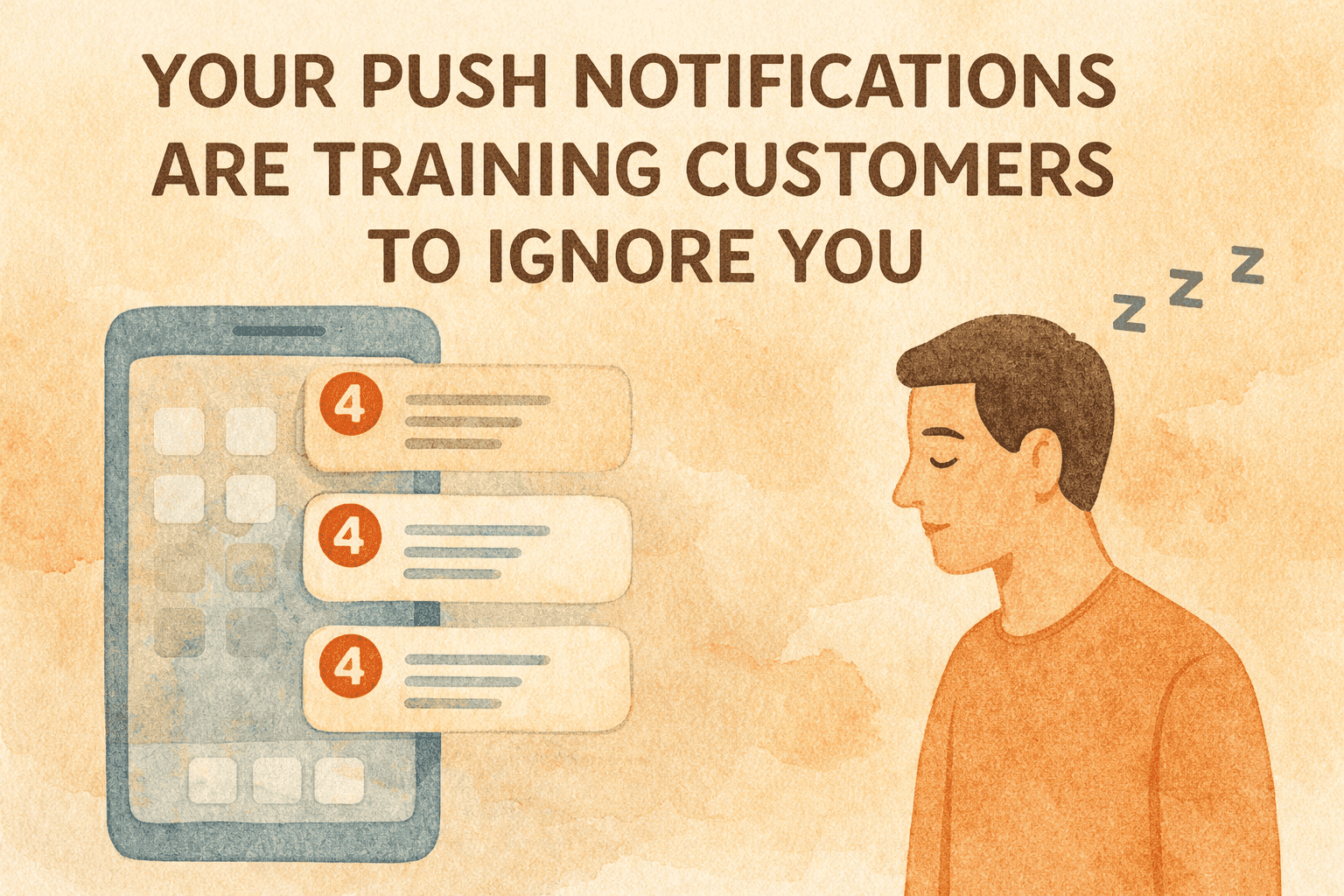
The Notification Numbness Epidemic
The average smartphone user receives 46 push notifications per day. Forty-six interruptions. Forty-six times their phone demands attention. Forty-six moments where they decide whether to engage, ignore, or-if you're unlucky-disable notifications entirely.
Your messages are competing in this chaos. And if you're like most ecommerce brands, you're losing.
46% of users disable push after 2-5 notifications per week. Read that again. Sending just three push notifications per week puts you at risk of losing nearly half your subscribers. Six notifications per week and you're hemorrhaging a third of your audience.
The math is brutal: every notification you send carries the probability of being your last. Customers aren't evaluating each message on its merits-they're accumulating annoyance until they reach a threshold, then they're gone.
In 2024, 67% of users opt out of push notifications. iOS rates declined from 58% to 56%. The window is closing. Customers are increasingly unwilling to grant notification access, and they're increasingly quick to revoke it.
You're not building loyalty with your push strategy. You're training customers to ignore you-and eventually to block you entirely.
---
Why Push Is Different (And More Dangerous)
Push notifications occupy a unique psychological space. Unlike email, which customers check at their leisure, push notifications interrupt. They vibrate phones. They light up screens. They demand immediate attention.
This immediacy is both the opportunity and the danger.
The Opportunity:
90% of SMS messages are read within 3 minutes. Push notifications achieve similar immediacy. When you need customers to act now-flash sale ending, limited inventory, time-sensitive offer-push cuts through in ways email cannot.
48% of people make purchases after push notifications. The channel works. When relevant and timely, push notifications drive real revenue.
The Danger:
50% of users find push notifications annoying. Half your audience finds the channel inherently irritating before you even send your first message. You're starting from a deficit.
The interruption model creates a psychological debt. Every time you push a notification that doesn't provide value, you draw down trust. Every generic "Check out our sale!" erodes patience. The account eventually empties, and the customer disables notifications permanently.
Unlike email, where poor performance means low open rates, poor push performance means permanent loss of the channel. A customer who deletes your emails can still receive future emails. A customer who disables your notifications is gone-and they're unlikely to re-enable.
---
The Signal-to-Noise Protocol
The Signal-to-Noise Protocol transforms push notifications from broadcast interruptions to valuable signals. The core principle: every notification must provide value that exceeds the interruption cost. If it doesn't, don't send it.
Principle 1: Trigger-Based Over Calendar-Based
Most push failures come from calendar-based sending: "It's Tuesday, send a notification." "We haven't pushed in three days, send something." "The sale started, blast everyone."
Calendar-based sending ignores customer context. The notification arrives whether the customer wants it or not, whether it's relevant or not, whether the timing makes sense or not.
Trigger-based sending ties notifications to customer behavior:
- Customer viewed product but didn't purchase → Notify when price drops
- Customer added to cart but abandoned → Notify with gentle reminder
- Customer's typical repurchase interval approaching → Notify with reorder prompt
- Customer's wishlisted item back in stock → Notify immediately
Trigger-based notifications feel helpful because they respond to customer intent. Calendar-based notifications feel spammy because they respond to your marketing schedule.
21% of all push notifications are automated. Automated, trigger-based notifications drive 7x the revenue per message. The efficiency gap is staggering.
Principle 2: Utility Over Promotion
The highest-performing push notifications aren't promotional-they're transactional.
Transactional notifications achieve 69% open rates. Order confirmations, shipping updates, delivery notifications-customers actively want this information. The notification provides value without any selling.
Utility-first notification types:
- Order status updates (shipped, out for delivery, delivered)
- Appointment/delivery window reminders
- Account alerts (password change, security notification)
- Restock alerts for items customer has shown interest in
- Price drop alerts for wishlisted or carted items
Promotional notifications should be rare exceptions, not the default. When you do send promotional pushes, they should feel like valuable information (exclusive early access, genuine limited-time offer) rather than generic advertising.
Principle 3: Personalization Over Broadcast
Personalized push notifications get 59% more engagement. Generic broadcasts feel like spam. Personalized messages feel like service.
Personalization dimensions:
- Product relevance: Based on browse history, purchase history, wishlist
- Timing relevance: Based on when customer typically engages
- Value relevance: Based on price sensitivity, category affinity
- Lifecycle relevance: Based on customer stage (new, active, lapsing, churned)
A notification that says "Your favorite brand just dropped new arrivals-see what's new" performs dramatically better than "New arrivals are here!" The first feels personal. The second feels like noise.
---
The Frequency Equation
More notifications don't mean more engagement. After a threshold, more notifications mean fewer subscribers.
For rapidly growing apps, frequency discipline is critical. One well-timed, highly relevant notification outperforms five generic blasts.
Frequency Guidelines by Notification Type:
Transactional (no limit): Order confirmations, shipping updates, delivery notifications-send as many as the customer's activity generates. These are expected and appreciated.
Trigger-based promotional (2-3 per week maximum): Price drops, back-in-stock alerts, abandoned cart reminders-send when triggered by customer behavior, but cap at 2-3 per week. More than that overwhelms even relevant messaging.
Calendar-based promotional (1 per week maximum): Sale announcements, new arrival alerts, general promotions-send sparingly. These are interruptions without behavioral triggers, so minimize them.
Broadcast campaigns (1-2 per month maximum): Major sales (Black Friday, anniversary), significant news (new category launch)-reserve for genuinely significant moments. If everything is "major," nothing is.
The Frequency-Value Tradeoff:
Each notification type has a different value-to-interruption ratio:
- Transactional: High value, low interruption (send freely)
- Trigger-based: Medium-high value, medium interruption (send with discipline)
- Calendar-based: Medium value, high interruption (send sparingly)
- Broadcast: Low value, very high interruption (send rarely)
Unsubscribe rates vary by industry-but that's an aggregate across all notification types. Your promotional-heavy mix probably hits tolerance limits much faster.
---
Timing That Respects Attention
When you send matters almost as much as what you send. Poor timing transforms a useful notification into an annoyance.
Universal Timing Rules:
The best times of day for push are morning and evening. These windows align with transition moments-waking up, winding down-when users are more receptive to non-urgent interruptions.
Morning window (6-8 AM): Users are starting their day, checking phones, planning purchases. Good for: restock reminders, new arrival alerts, daily deals.
Evening window (10 PM-12 AM): Users are relaxing, browsing, open to discovery. Good for: personalized recommendations, wishlist updates, weekend sale previews.
Avoid:
- Work hours (9 AM - 5 PM): Interrupts professional focus
- Commute times: Distracting and annoying
- Late night (after midnight): Disrespectful of sleep
- Early morning (before 6 AM): Never
Trigger-Based Timing:
For behavior-triggered notifications, timing relative to the trigger matters:
Abandoned cart:
- Best: 1-4 hours after abandonment
- Acceptable: Same day
- Too late: 24+ hours (moment has passed)
Price drop:
- Best: Immediately when price drops
- Acceptable: Within 24 hours
- Too late: 48+ hours (may have already purchased elsewhere)
Back in stock:
- Best: Immediately when restocked
- Acceptable: Within 4 hours
- Too late: 24+ hours (high-demand items may sell out again)
50% of all push engagement happens within the first hour. Push is a real-time channel. If customers don't engage within the first hour, they probably won't.
---
Building the Notification Value Hierarchy
Not all notifications deserve the same treatment. Build a hierarchy that reserves push for high-value moments and routes lower-value messages to less intrusive channels.
Tier 1: Push-Worthy (High Value, Time-Sensitive)
These justify interruption:
- Order shipped with tracking
- Out for delivery today
- Delivery completed
- Time-sensitive sale (ending within 24 hours)
- Back in stock (high-demand item customer requested)
- Price drop (significant, on item customer showed interest in)
- Security alert (account access, payment issue)
Tier 2: Push-Optional (Medium Value, Moderate Urgency)
These can be push but should be used sparingly:
- Abandoned cart reminder (high-value cart only)
- Reorder reminder (replenishment products)
- New arrival (from category customer actively browses)
- Loyalty reward available
- Flash sale (genuine time constraint)
Tier 3: Email/In-App Instead (Lower Value, Not Time-Sensitive)
These should not be push:
- General sale announcement
- New arrivals (generic)
- Newsletter-style content
- Survey requests
- Review requests
- Educational content
Tier 4: Never Push
These destroy trust and should never interrupt:
- "We miss you!" (if customer hasn't engaged in 30+ days)
- Generic promotional blasts
- A/B tests with no customer value
- Re-engagement for clearly churned customers
- Anything with misleading urgency
The test: Would a customer thank you for this interruption? If no, don't push it.
---
The Opt-In Strategy
Before you can send notifications, customers must grant permission. The average opt-in rate is 60%-which means 40% of potential subscribers reject you before receiving a single message.
Pre-Permission Priming:
Don't ask for notification permission immediately on app install or first website visit. The customer has no relationship with you yet-no reason to trust their phone to you.
Priming sequence: 1. Let customer experience app/site value first 2. Trigger permission request after meaningful engagement (browse session, first purchase, account creation) 3. Explain specific value before requesting ("Get notified when items on your wishlist go on sale") 4. Use soft-ask first (in-app prompt explaining value) before hard-ask (system permission dialog)
Ecommerce apps achieve 68% opt-in. You can exceed this by priming well and asking at the right moment.
Value-First Permission Request:
Generic: "Enable notifications to stay updated" Better: "Enable notifications to know when your order ships and when items you love go on sale"
The second version promises specific, valuable information. The first promises generic interruption.
Segment-Specific Opt-In:
Advanced apps allow customers to choose notification types:
- Order updates: Yes
- Sale alerts: No
- New arrivals: Yes
- Recommendations: No
This granular consent increases overall opt-in (customers say yes to what they want) and reduces opt-out (customers aren't annoyed by unwanted notifications).
---
Rich Notifications and Engagement
Rich notifications get 33% more engagement. Plain text notifications are easy to ignore. Rich notifications command attention.
Rich Notification Elements:
Images: Include product images in cart abandonment, price drop, and back-in-stock notifications. Visual recognition triggers faster than text processing.
Action buttons: "View Order" | "Track Delivery" gives customers direct paths. "Shop Now" | "Save for Later" acknowledges different intents.
Progress indicators: "Your order is 2 of 3 steps to delivery" creates anticipation and reduces "where's my order" support contacts.
Personalized content: Customer name, specific product names, saved preferences-details that signal "this is for you specifically."
96% of all push notifications now include rich elements. This is now table stakes, not differentiation.
---
The Re-Engagement Trap
When customers stop engaging with notifications, the temptation is to send more, louder, with bigger incentives. This is exactly wrong.
A customer who hasn't engaged with your last five notifications won't suddenly respond to the sixth. They're ignoring you. Sending more trains them to keep ignoring-and eventually to disable entirely.
Engagement Decay Protocol:
After 3 ignored notifications: Reduce frequency by 50%. Switch to trigger-based only.
After 5 ignored notifications: Pause promotional notifications entirely. Send only transactional.
After 10 ignored notifications: Consider customer notification-inactive. Do not send push unless they re-engage on site/app first.
Re-Engagement Approach:
Instead of pushing harder to disengaged users, pull them back through other channels:
- Email with push-specific value proposition ("You're missing out on your price drop alerts-make sure notifications are enabled")
- In-app messaging when they return ("Want to know when your favorites go on sale? Turn on notifications")
- SMS for high-value lapsed customers (more intrusive, but breaking pattern)
26% disable notifications within one week. Early engagement predicts long-term retention. If customers disengage early, the channel may never recover.
---
Measuring Push Against Retention
Standard push metrics (delivery rate, open rate, CTR) measure channel performance. Retention-focused metrics measure business impact.
Primary Metrics:
Push-Influenced Retention Rate: Compare retention rate of push-enabled users vs. push-disabled users. If push-enabled users retain better, the channel is working. If not, you're adding interruption without value.
Notification ROI: Revenue attributed to push notifications divided by total cost (platform fees, creative, management). Track trend over time.
Opt-Out Rate per Campaign: Percentage of recipients who disable notifications after each campaign. High opt-out indicates low value or high annoyance.
Engagement Rate Trend: Rolling average of notification engagement over 30/60/90 days. Declining engagement predicts future opt-out.
Secondary Metrics:
Time to First Push Engagement: For new opt-ins, how long until they engage with a notification? Longer time indicates relevance problems.
Push-to-Purchase Conversion: Percentage of push clicks that result in purchase within 24 hours. Measures notification quality, not just quantity.
Channel Transition Rate: When customers opt out of push, do they remain engaged via email? If push opt-out predicts broader disengagement, your push strategy is damaging relationships.
---
The 90-Day Push Optimization Roadmap
Days 1-30: Audit and Reset
Week 1: Current state analysis
- Document all notification types currently sent
- Calculate opt-out rate per notification type
- Identify highest and lowest performing notifications
- Map current frequency by customer segment
Week 2: Value hierarchy creation
- Classify all notifications into value tiers
- Identify notifications that should move to email
- Flag notifications that should be eliminated entirely
Weeks 3-4: Frequency reset
- Reduce calendar-based promotional notifications by 50%
- Implement frequency caps by notification type
- Create suppression rules for disengaged users
Days 31-60: Trigger Implementation
Weeks 5-6: Behavior-based triggers
- Implement abandoned cart notifications (with value threshold)
- Implement back-in-stock notifications (for wishlisted items)
- Implement price drop notifications (for carted/wishlisted items)
Weeks 7-8: Personalization layer
- Add product personalization to notifications
- Implement timing optimization based on user engagement patterns
- Create segment-specific messaging
Days 61-90: Measurement and Optimization
Weeks 9-10: Attribution setup
- Implement push-to-purchase tracking
- Create push-influenced retention analysis
- Build opt-out rate dashboard
Weeks 11-12: Iteration
- A/B test notification timing
- A/B test rich media formats
- Refine frequency limits based on data
---
From Interruption to Anticipation
The goal of push notification strategy isn't to reach customers more often. It's to reach them at exactly the right moments with exactly the right information-so that notifications become anticipated rather than dreaded.
65% of users. The channel drives retention when used correctly. The same channel destroys retention when abused.
The difference is discipline. The difference is value. The difference is treating push as a precious resource rather than a free broadcast pipe.
Every notification you send either builds anticipation for the next one or erodes tolerance for it. There's no neutral ground. You're either becoming a signal your customers want or noise they'll eventually block.
50% of users-but the other 50% find them useful. The useful half are receiving notifications that respect their attention, provide genuine value, and arrive at moments that matter.
Be the brand they're glad to hear from. Or become the brand they silence.
CAC : LTV Calculator
Lifetime value, payback and the ratio that decides whether you can afford to grow.
SMS Marketing Isn't a Channel-It's a Retention Weapon (If You Stop Spamming)
Your Email Automation Is Stuck on Welcome Flows - Here's the Full Lifecycle System
Post-Purchase Email Sequences: 7 High-Converting Campaigns
Your Personalization Is Creepy (And It's Not Working)
How often should you send your marketing emails?
Email vs SMS Marketing: ROI Comparison for eCommerce
Newsletter
The Uncommon Insights Letter
Practical FMCG & eCommerce growth playbooks — margins, retention and scaling tactics, straight to your inbox.
Turn customer retention into profit you can see
Get a hands-on operator to turn the frameworks above into results — book a free audit call.