Top 7 Workflow Automation Tools for eCommerce
Compare seven eCommerce workflow automation tools with pricing, strengths, limitations and best use cases to help you choose the right platform.
7 January 2026
Workflow automation tools are essential for eCommerce businesses to save time, cut costs, and reduce errors. From managing inventory financing to automating customer communication, these tools simplify repetitive tasks, allowing teams to focus on growth. Here's a quick look at seven top tools:
- Shopify Flow: Ideal for Shopify users, this no-code tool automates tasks like fraud detection and inventory updates. Free with Shopify plans (except Starter).
- Zoho CRM: Combines customer management with automation, offering AI-powered insights. Starts at A$14/user/month.
- ActiveCampaign: Focuses on email, SMS, and WhatsApp automation, with plans starting at A$19/month.
- monday.com: A visual project management tool that handles complex workflows, starting at A$9/seat/month.
- Zapier: Connects over 8,500 apps for seamless integrations. Free for 100 tasks/month; paid plans from A$19.99/month.
- Make (formerly Integromat): Offers a flexible visual builder for intricate workflows. Free for 1,000 operations/month; paid plans from A$9/month.
- n8n: Open-source automation with self-hosting options for full control. Free for self-hosted; cloud plans start at A$30/month.
Each tool has unique strengths and is suited to specific needs, from simple automations to managing multi-channel operations. Choosing the right one depends on your platform, technical skills, and business goals.
Quick Comparison:
| Tool | Starting Price (AUD) | Main Use Case | Key Limitation |
|---|---|---|---|
| Shopify Flow | Free (with Shopify plans) | Shopify-specific automations | Limited to Shopify ecosystem |
| Zoho CRM | A$14/user/month | Customer and sales automation | Requires integration with Zoho apps |
| ActiveCampaign | A$19/month | Email and SMS automation | Costs increase with larger lists |
| monday.com | A$9/seat/month | Project and task management | Limited automation on lower plans |
| Zapier | A$19.99/month | App integrations | Task limits for high-volume users |
| Make | A$9/month | Multi-channel workflows | Steeper learning curve |
| n8n | A$30/month (cloud) | Self-hosted, custom workflows | Requires technical expertise |
These tools simplify eCommerce operations, helping businesses save time and reduce errors. Start by identifying your key pain points and match them with the tool that best fits your needs.
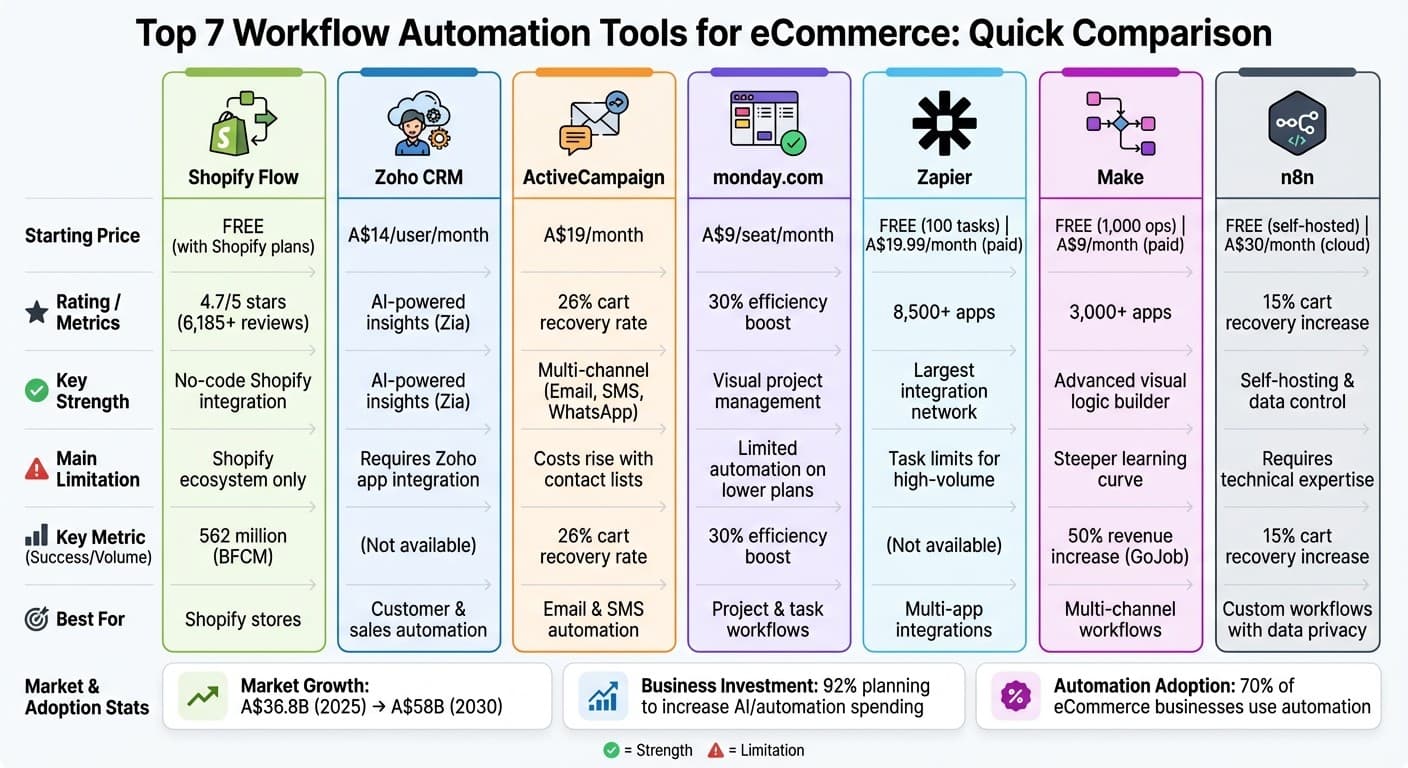
7 eCommerce Workflow Automation Tools Compared: Pricing, Features & Best Use Cases
10 AI Tools That Automate My Ecommerce Business!
1. Shopify Flow
Shopify Flow is a powerful tool designed to automate key tasks in your Shopify store, simplifying processes like order handling and inventory management. This no-code automation platform is integrated directly into the Shopify admin, making it accessible and easy to use for merchants. Using a straightforward "trigger, condition, and action" framework, Flow allows you to create intricate workflows without the need for coding expertise. Impressively, the platform automates more than 1 billion decisions each month and handled 562 million workflows during the Black Friday Cyber Monday period alone.
What makes Flow stand out is its extensive data access via the GraphQL Admin API. Unlike tools that rely solely on REST APIs, Flow can interact with data at the Shop, Order, and Product levels. This capability enables highly tailored automations, like tracking specific product tags in an order, or pausing fulfilments based on factors such as warehouse location. Additionally, Flow includes scheduled automations that operate at pre-set times, which is especially handy for pulling reports or running regular inventory audits.
With over 90 built-in connectors and hundreds of templates, Flow works seamlessly with tools like Slack, Google Sheets, Klaviyo, and Yotpo. This integration makes it easy to automate tasks such as fraud detection, inventory updates, and tagging VIP customers. The platform has received high praise, earning a 4.7/5 star rating from more than 6,185 reviews on the Shopify App Store.
Flow is available at no additional cost for merchants on Shopify’s Basic, Grow, Advanced, and Shopify Plus plans, though it’s not included in the Starter plan. This pricing model is especially appealing for Australian merchants, as it offers a more cost-effective solution compared to tools that charge per task. Higher-tier plans also unlock advanced features, such as custom HTTP requests and increased API limits.
However, Flow does have some limitations. At present, it’s only available in English. Some users have mentioned that creating highly complex workflows can involve a learning curve, and there’s ongoing demand for webhook triggers, which are not yet supported.
Next, we’ll take a closer look at Zoho CRM and how it supports eCommerce automation.
2. Zoho CRM
Zoho CRM combines customer management with workflow automation to help eCommerce businesses manage leads, orders, and interactions efficiently. With its Workflow Rule Builder, you can automate repetitive sales tasks by setting up triggers, conditions, and actions - either in real time or on a schedule. A standout feature is the Zia AI assistant, which reviews your team's activity history and identifies patterns to suggest new automation opportunities, making it a powerful tool for optimising workflows. These functionalities are further enhanced by integrations that simplify various aspects of eCommerce operations.
For eCommerce, Zoho CRM ensures no lead slips through the cracks by capturing them from multiple channels, including social media, live chat, and website forms. It works seamlessly with other Zoho tools like Commerce, Inventory, and Books, allowing you to unify store management, stock tracking, and accounting. Additionally, Zoho Inventory connects with major marketplaces like Amazon, Etsy, Shopify, and WooCommerce. For businesses with unique needs, the platform supports webhooks and Deluge scripting, enabling custom workflows such as tailored discount logic.
While Zoho CRM shares similarities with Shopify Flow in automating tasks, it offers a unique advantage through its detailed customer and sales insights, making it especially useful for eCommerce businesses aiming to enhance their operations.
Pricing is straightforward, with a free plan available for up to three users and paid plans ranging from A$14 to A$52 per user per month when billed annually. Australian businesses can save 20–30% with annual billing compared to monthly payments. The Standard and Professional plans are ideal for small teams looking for basic automation, while the Enterprise and Ultimate plans unlock advanced features like Zia AI and sandbox testing. This combination of automation capabilities and transparent pricing makes Zoho CRM a practical option for scaling eCommerce businesses.
That said, the platform's extensive features can feel overwhelming for some users. Many appreciate its customisation options and deep integration with the Zoho ecosystem, but others note that excessive automation can sometimes detract from a personal touch. The initial setup process can be challenging, and maintaining complex workflows demands ongoing effort. Additionally, while Zoho Commerce shows potential, it may lack some features offered by more established platforms, occasionally requiring external integrations to fill the gaps.
Zoho CRM also includes workflow insight reports, which help diagnose failed automations and pinpoint affected records, reducing the risk of operational delays. With about 70% of eCommerce businesses already using some form of automation and email automation generating A$36–A$40 for every dollar spent, Zoho CRM presents itself as an affordable solution for businesses looking to scale effectively without overspending.
3. ActiveCampaign
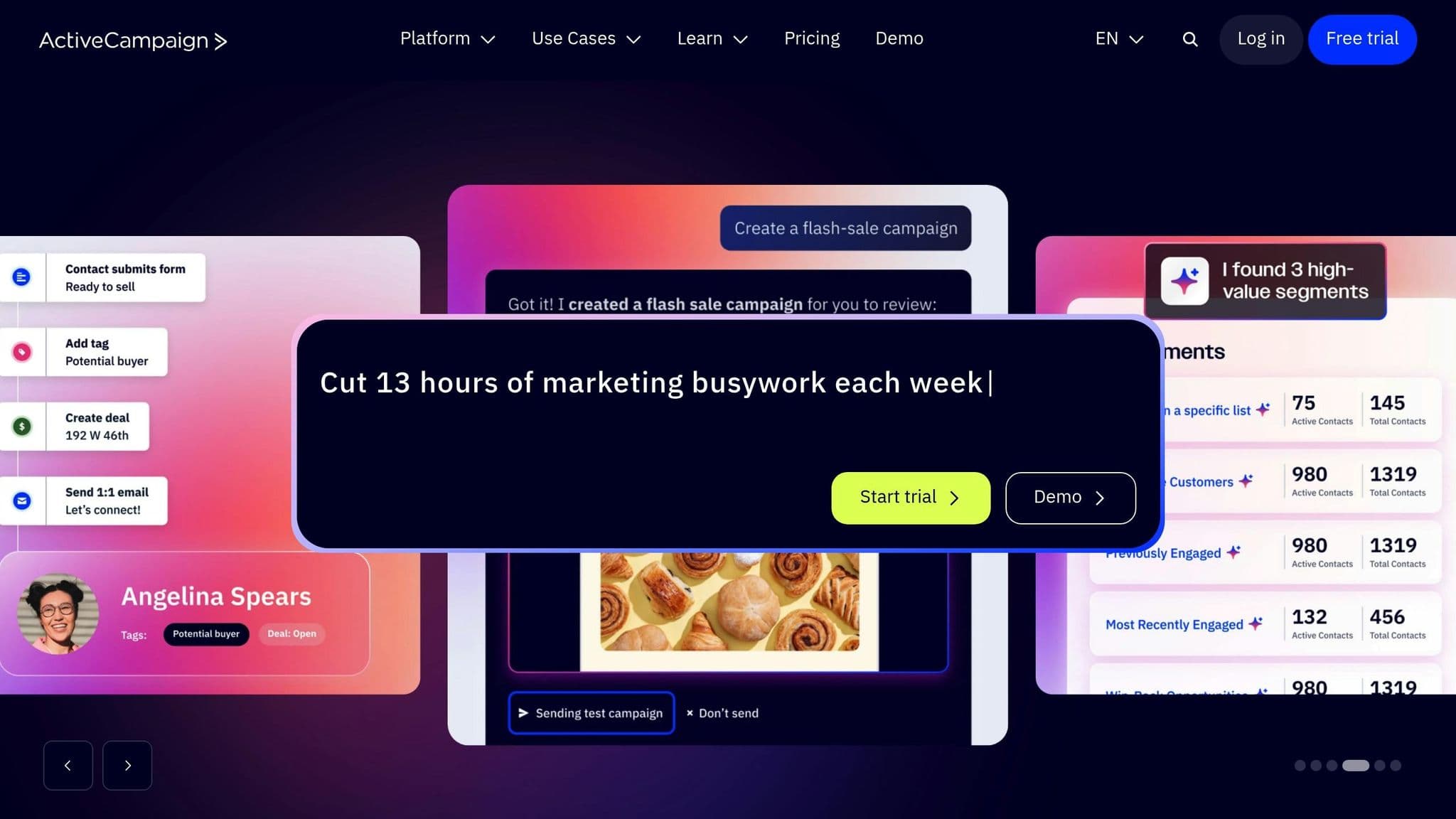
ActiveCampaign combines email marketing, CRM, and workflow automation into a single platform tailored for eCommerce businesses. One of its standout capabilities is an AI-powered automation builder that allows you to input a goal in plain text - like "send abandoned cart reminders" - and it automatically creates a complete workflow with triggers, actions, and conditions. With over 900 pre-built eCommerce automation templates, the platform extends beyond email to include SMS and WhatsApp messaging automation.
It integrates seamlessly with popular platforms like Shopify, WooCommerce, BigCommerce, and Adobe Commerce, enabling real-time customer data syncing. This means you can trigger automations based on store events, such as purchase history or product interest. You can also automate recurring billing by linking payment processors like Stripe or PayPal. For instance, Morrow Audio, a cable specialist, managed to recover 26% of abandoned carts, resulting in A$30,000 in revenue.
"Even though I'm the CEO, president, and founder of Morrow Audio, because ActiveCampaign is so easy to use – I enjoy doing it! And the website is a selling machine."
Pricing begins at A$19/month for the Starter plan (1,000 contacts), while the Plus plan at A$59/month includes features like abandoned cart recovery and Shopify integration. The Pro plan, priced at A$99/month, adds tools like predictive sending and attribution tracking, while the Enterprise plan at A$179/month offers advanced features like custom objects and premium reporting. Annual billing gives a 20% discount, and optional add-ons like Pipelines CRM (A$68/month) and SMS marketing (starting at A$16.83/month for 1,000 credits) are available. You can explore these features with a 14-day free trial.
While the platform’s extensive features can feel overwhelming at first - especially as costs grow with larger contact lists - ActiveCampaign’s combination of B2C and B2B tools makes it versatile. However, it’s essential to strike a balance between automation and maintaining a personal connection with your customers. With over 180,000 users worldwide and built-in split-testing to fine-tune strategies, ActiveCampaign offers a solid solution for eCommerce businesses aiming to scale customer engagement without losing sophistication. Its rich feature set positions it as a frontrunner in workflow automation for businesses looking to grow.
4. monday.com
monday.com is a visual project management tool designed to streamline eCommerce workflows using a trigger, condition, and action framework. While it isn’t specifically tailored for online stores like Shopify Flow, it serves as a central hub for managing a wide range of tasks - everything from order fulfilment and returns tracking to product lifecycle and manufacturing processes. Its flexibility makes it a great choice for businesses with complex back-end operations that extend beyond running a storefront. With its multi-step workflows, you can integrate various operational tasks seamlessly.
For instance, a single trigger - like updating an order status to "Shipped" - can set off multiple actions at once. These might include notifying the customer, moving the order to a processing board, and assigning a shipping date. You can also prioritise automations, ensuring that critical tasks take precedence. Real-world results back this up: Telefonica's O2 Priority team saw a 30% boost in efficiency when delivering campaigns, and Genpact reported a 40% improvement in cross-team collaboration after adopting monday.com.
"With monday.com, we're 30% more efficient at delivering hundreds of campaigns seen by millions of customers." – Tye Rapley-Hawkins, Head of Delivery at O2 Priority, Telefonica
Pricing Details
monday.com’s pricing starts at A$9 per seat/month for the Basic plan (billed annually, with a minimum of three seats). The Standard plan costs A$12 per seat/month, offering 250 automation actions per month and Gantt views. For more advanced needs, the Pro plan is A$19 per seat/month, featuring 25,000 automation actions, time tracking, and formula columns. Enterprise plans are custom-quoted and include up to 250,000 actions, advanced security features, and HIPAA compliance. Annual billing comes with an 18% discount, and the platform is trusted by over 245,000 customers worldwide.
However, there are some limitations to keep in mind. Certain column types - like Tags, Mirror, Dropdown, Time Tracking, Link to Item, and File - aren’t supported in automations. Additionally, the Standard plan’s cap of 250 actions per month may be restrictive for businesses with high-volume operations, and deleted automations cannot be recovered.
Is It Right for Your Business?
While monday.com offers robust features, it requires a thoughtful setup to handle the demands of scaling hundreds of products and orders effectively. For businesses juggling complex supply chains or manufacturing processes alongside their eCommerce operations, this platform provides a level of operational control that few traditional eCommerce tools can match. Plus, you can manage marketing automation alongside your operational tasks, adding even more value - if you're willing to invest the time to structure your workflows properly.
5. Zapier
Zapier is a platform that connects over 8,500 apps, creating one of the largest integration networks available. While it’s not specifically designed for online stores, it excels at linking together your entire tech stack. Whether it’s Shopify or WooCommerce, shipping tools like ShipStation, marketing platforms such as Klaviyo, or accounting software like QuickBooks Online, Zapier ensures seamless connections across the board. This broad compatibility, paired with flexible pricing, has made it a popular choice for businesses using a variety of eCommerce platforms.
Zapier operates on a trigger-and-action system: when an event occurs in one app, it triggers an automated task in another. Its multi-step workflows can handle complex processes from a single trigger. For example, when a high-value order is placed, Zapier can simultaneously log the order in Google Sheets, notify your team on Slack, add the customer to a VIP list in your CRM, and create an invoice in QuickBooks. Using conditional logic via Filters and Paths, you can customise workflows further, like sending follow-up emails based on product categories or notifying your team only for orders exceeding A$100.
"Zapier is the most connected AI orchestration platform - integrating with thousands of apps from partners like Google, Salesforce, and Microsoft." – Anna Burgess Yang, Content Marketer, Zapier
Zapier has delivered measurable results for businesses. Hudl saved between A$12,000 and A$15,000 annually while cutting customer support time by 21.5%, and ActiveCampaign reduced new customer churn to just 6%.
Pricing Details
Zapier offers pricing plans that adapt to your business needs. Tasks are priced individually, and the Free plan provides 100 tasks per month with unlimited two-step Zaps. The Professional plan starts at A$19.99/month (billed annually) and includes multi-step Zaps, Premium apps, and webhooks. For larger teams, the Team plan costs A$69/month, supporting up to 25 users, shared workspaces, and Premier Support. Custom Enterprise plans include unlimited users, SAML SSO, and advanced admin controls. Annual billing offers a 33% discount, and non-profits receive an additional 15% discount.
That said, task limits can become a challenge for high-volume businesses. If you exceed your monthly allocation, Zapier switches to pay-per-task billing at 1.25× the base rate to ensure workflows continue uninterrupted. Premium apps, often essential for eCommerce operations, are only available on paid plans. As your business grows, costs can rise quickly. However, built-in tools like Filters, Formatter, and Paths don’t count toward your task quota, which helps manage usage efficiently.
Is It Right for Your Business?
Zapier is ideal for businesses operating across multiple platforms, such as Shopify, Amazon, eBay, or WooCommerce. Unlike platform-specific tools like Shopify Flow, it offers the flexibility to connect a wide variety of apps. Its user-friendly, AI-powered Zap builder simplifies handling complex data, and features like "Delay by Zapier" let you time abandoned cart reminders to avoid overwhelming customers. If your business relies on a diverse app ecosystem and lightweight integrations, Zapier offers unmatched versatility. Just keep an eye on your task usage and plan for scaling costs as your operations expand.
6. Make (formerly Integromat)
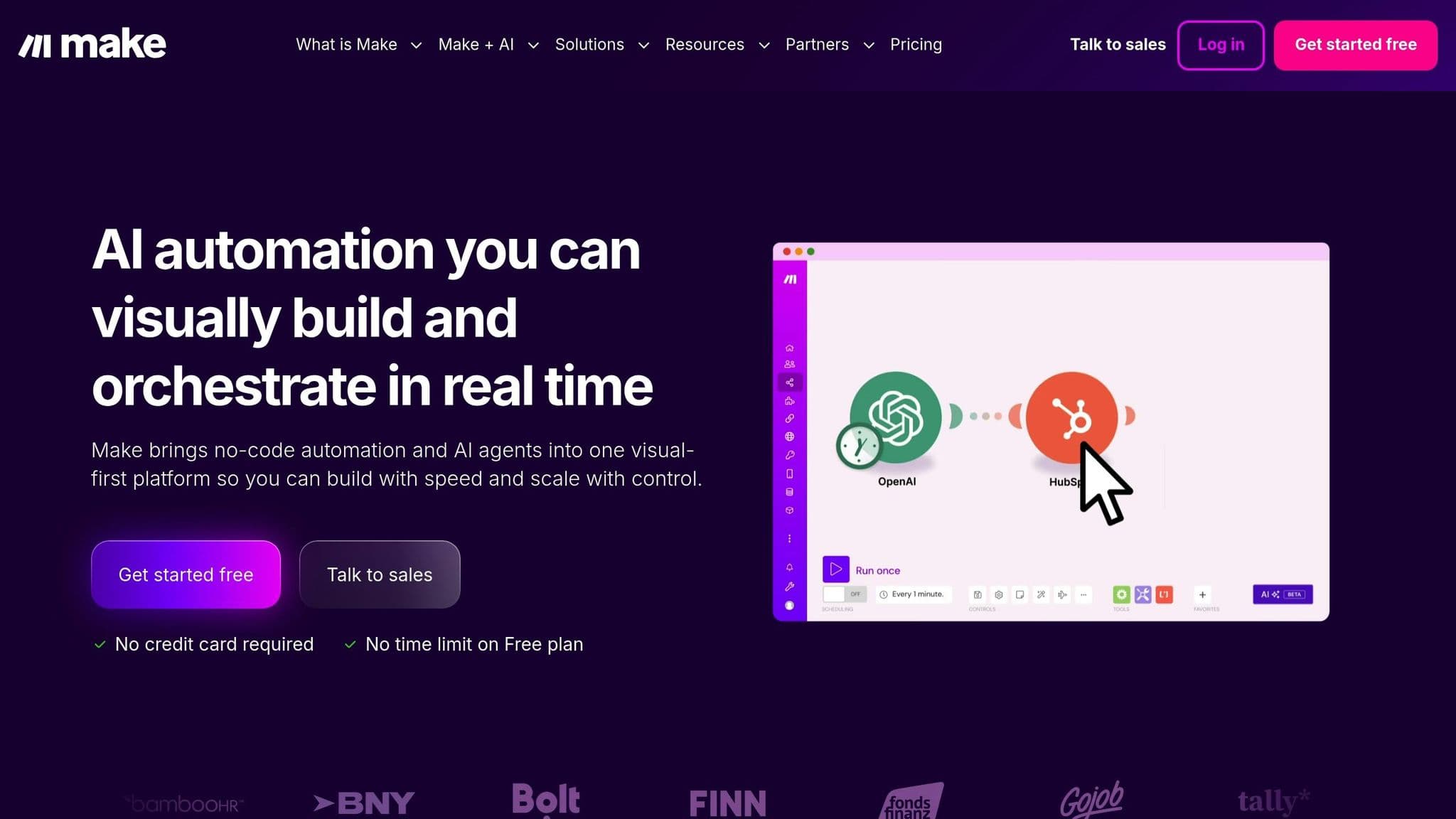
Make, much like platforms such as Zapier, provides a powerful and adaptable solution for automating complex, multi-channel workflows.
With its visual workflow builder, Make allows users to design intricate automations without needing to write a single line of code. The drag-and-drop interface supports over 3,000 integrations, including Shopify, WooCommerce, BigCommerce, Magento, Amazon, and eBay, making it a great option for multi-channel eCommerce operations.
Its advanced logic tools - like routers, filters, and iterators - let you create workflows with multiple paths and conditional checks. For instance, you can set up a workflow that flags suspicious orders in Slack for manual review while automatically sending standard orders to fulfilment. On top of that, Make integrates with AI tools such as OpenAI and Google Vision, enabling tasks like generating product descriptions, SEO meta-tags, and image alt-text automatically - saving hours of manual work. Businesses using Make have seen impressive results: GoJob reported a 50% increase in yearly net revenue in December 2024, and FranklinCovey saved hundreds of thousands of dollars while freeing up significant staff hours in September 2025.
"Make drives unprecedented efficiency within our business in ways we never imagined. It's having an extra employee (or 10) for a fraction of the cost." – COO, Shop Accelerator Martech
Pricing Details
Make uses a credit-based system, where each action - like fetching or updating - costs one credit. The Free plan includes 1,000 monthly credits and allows for two active scenarios. For growing businesses, the Core plan starts at A$9/month, offering 10,000 credits, unlimited active scenarios, and a one-minute execution interval. The Pro plan, priced at A$16/month, adds features like priority execution and custom variables. For teams, the Teams plan starts at A$29/month and includes collaborative tools such as shared templates and role management. Custom Enterprise plans are also available, offering perks like 24/7 support and overage protection.
While Make's visual interface is user-friendly, some users mention that its learning curve is steeper compared to simpler automation tools. Additionally, costs can rise significantly for businesses with high-volume operations.
Is It Right for Your Business?
Make is an excellent choice for businesses managing multiple channels - like Shopify, Amazon, eBay, and WooCommerce - where seamless inventory syncing and order routing are critical. Its visual interface makes troubleshooting complex workflows far easier than dealing with code-heavy alternatives. You can start small with high-impact automations, such as abandoned cart recovery, especially given that cart abandonment rates hover around 70%. For fraud detection, consider using Make to flag suspicious orders in Slack for manual review instead of automating cancellations outright. During busy times, like Black Friday, keep an eye on your operation count to avoid unexpected overage charges.
7. n8n
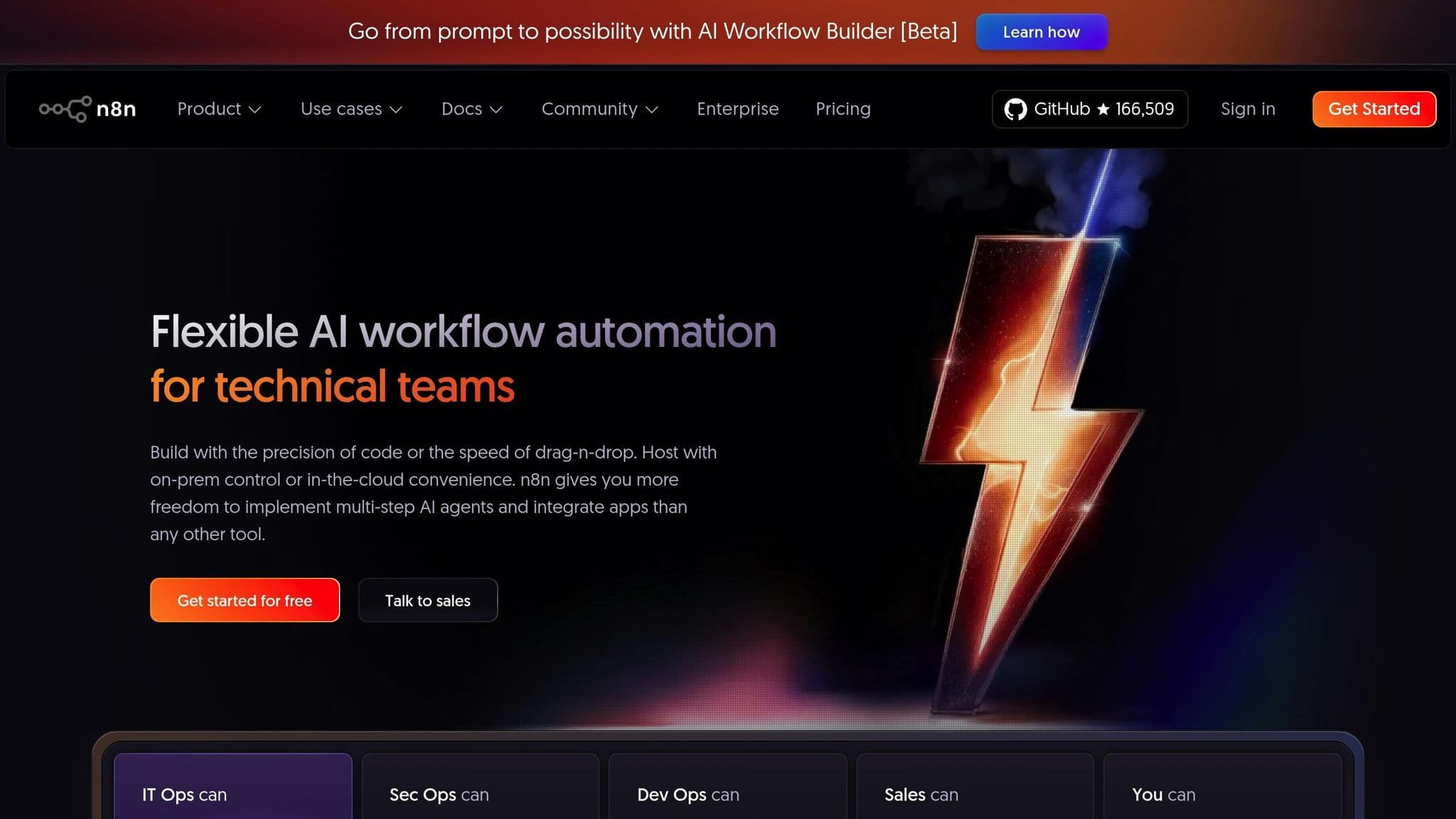
n8n is an open-source, node-based automation platform designed to give you full control over your workflows and data. One of its standout features is the flexibility to choose between a hosted cloud version or self-hosting on your own servers. This is particularly valuable for businesses managing sensitive customer information or looking to avoid being tied to a specific vendor [57,60].
The platform uses a visual interface where you can connect nodes, each representing an app or function, to create workflows. Its pricing is based on workflow executions rather than complexity. For instance, whether your workflow has 5 steps or 20, the cost remains the same. The Starter plan is priced at A$30 per month for 2,500 executions, while the Pro plan costs A$75 per month and includes 10,000 executions along with workflow history.
n8n integrates seamlessly with AI models like OpenAI and Google Gemini, making it possible to automate tasks such as creating SEO-friendly product descriptions or analysing customer reviews for sentiment. It also supports popular eCommerce platforms like Shopify, WooCommerce, and Amazon, as well as marketing tools such as Klaviyo and Mailchimp [57,62]. With webhook triggers, you can capture real-time events - like new orders, abandoned carts, or stock updates - without the need for constant API polling [59,60]. For example, one store that implemented an abandoned cart recovery workflow using n8n saw a 15% increase in recovered sales.
"Automation isn't about replacing people - it's about giving them room to shine." – Mark, eCommerce Consultant
While n8n offers exceptional flexibility, it does come with a steeper learning curve. The HTTP Request node, in particular, can be challenging for beginners. Additionally, self-hosting requires technical expertise to handle server management, security updates, and backups [60,63]. For those just starting, it’s a good idea to focus on a single impactful automation - like sending new order notifications to Slack - before tackling more complex workflows. Always enable the "Retry on Fail" setting for nodes tied to payment processors or shipping carriers to avoid disruptions caused by network issues [57,61].
With its ability to handle complex eCommerce automations and its adaptable nature, n8n stands out as a strong contender in the automation tool landscape.
Comparison Table
Here's a breakdown of each tool, highlighting their pricing, strengths, weaknesses, and ideal use cases:
| Tool | Pricing (AUD) | Main Strengths | Main Weaknesses | Best For |
|---|---|---|---|---|
| Shopify Flow | Free (included with Shopify plans) | Seamless Shopify integration with a no-code visual builder; handled 562 million workflows during BFCM | Restricted to Shopify’s ecosystem; supports only English | Shopify stores needing straightforward, single-channel automation |
| Zoho CRM | Pricing varies with contact list size | Excellent for vendor management, compliance alerts, and syncing financial data | Requires integration with other Zoho apps for full functionality | Businesses focused on vendor relationships and regulatory compliance |
| ActiveCampaign | Pricing varies with contact list size | Strong behavioural segmentation and personalised email triggers based on shopping patterns | Setup can be complex; primarily geared towards marketing | Automating customer lifecycles and reducing churn |
| monday.com | Pricing depends on plan tier | Excels in task management, deadline tracking, and team collaboration | Advanced automation is only available in higher-tier plans | eCommerce teams handling product launches and project workflows |
| Zapier | Free (100 tasks/month); starts at A$20/month for Professional | Offers 5,000+ integrations and is user-friendly without coding | Can be costly for high-volume users; lacks flexibility for complex logic | SMBs needing to connect various apps without technical expertise |
| Make | Free (1,000 operations/month); starts at A$9/month for Core | Features a powerful visual builder with advanced logic; affordable for intricate workflows | Steep learning curve; interface can feel overwhelming at times | Power users requiring flexibility and synchronisation across multiple channels |
| n8n | Free (self-hosted); starts at A$20/month for Cloud | Allows full data privacy through self-hosting; highly customisable with unlimited workflows | Demands technical setup and ongoing server maintenance | Technical teams or industries needing strict data control |
This table offers a concise guide to help you identify which tool aligns best with your operational requirements. Each option is tailored to address specific automation needs, making it easier to streamline processes and support growth.
"Workflow automation allows marketing operations teams to catch and clean data errors before they have a negative impact so they can focus on what they do best - problem-solving." – Krystina Martinez, Zapier
The workflow automation sector is expected to expand from A$36.8 billion in 2025 to A$58 billion by 2030. With 92% of businesses planning to boost their AI and automation investments, choosing the right tool today can set your business up for future success.
Conclusion
Workflow automation has become a necessity in today's business landscape. Companies across industries are embracing automation, and eCommerce businesses sticking to manual processes risk falling behind.
When selecting the right automation tool, consider three key factors: your existing ecosystem, your technical capabilities, and the specific challenges in your processes. For Shopify users, Shopify Flow offers seamless integration at no extra cost. If your business relies on connecting various apps across marketing, fulfilment, and accounting, Zapier provides broad compatibility, while Make is ideal for handling more intricate workflows. For teams needing full control over their data, n8n's self-hosted option is worth exploring. And for tasks requiring advanced decision-making - like fraud detection or content moderation - decision intelligence platforms can be an excellent choice. These tools ensure automation aligns with your unique operational demands.
Start small by automating one critical process - whether it's syncing inventory, routing orders, or segmenting customers - and measure the impact through time savings and error reduction. It’s crucial to involve your frontline staff early to sidestep potential inefficiencies and to implement strong exception handling to manage unexpected disruptions.
The future of automation looks promising. Projections show that 92% of companies plan to increase spending on AI and automation through 2028, and low-code automation solutions are delivering impressive returns, with a 248% ROI over three years.
If you’re looking for expert guidance, Uncommon Insights offers tailored support. From selecting the right tools to identifying bottlenecks and creating scalable frameworks, their growth operations consulting can help position your business for long-term success.
FAQs
What should I look for in a workflow automation tool for my eCommerce business?
Choosing the right workflow automation tool can make a huge difference in simplifying your operations and helping your business grow. Start by checking if the tool integrates smoothly with your current systems - like your Shopify store, accounting software, or email marketing platforms. Seamless integration keeps your data flowing effortlessly and cuts down on repetitive tasks.
Focus on tools that can take over essential eCommerce tasks such as inventory management, running marketing campaigns, handling customer service, and providing analytics. It’s also important to think about scalability - pick a solution that can keep up as your order volumes and business complexity increase. Tools with user-friendly features like no-code builders and pre-made templates can save your team time and effort, even if they don’t have a technical background.
Don’t overlook cost, support, and security. Compare pricing plans to find something that fits your budget while meeting your needs, and make sure the tool aligns with Australian data privacy standards. The right automation tool doesn’t just save time - it’s a smart investment in the long-term success of your eCommerce business.
How can workflow automation tools integrate with platforms like Shopify and WooCommerce?
Automation tools make it simple to connect Shopify and WooCommerce, thanks to native apps, APIs, and no-code workflow builders. This means you can integrate these platforms without diving into custom coding.
If you're using Shopify, the Shopify Flow app is a powerful option. It lets you build custom workflows right from your admin dashboard. With pre-set triggers and actions, you can automate tasks like inventory updates, fraud detection, and order fulfilment. And because Shopify Flow is developed by Shopify itself, it integrates effortlessly with your store - no extra setup required.
For businesses operating on both Shopify and WooCommerce, third-party tools like Appy Pie Automate, n8n, and Workload offer simple integration solutions. These platforms allow you to create triggers (like a new Shopify order) and corresponding actions in WooCommerce, such as syncing inventory or updating customer information. Best of all, these tools feature user-friendly interfaces, so you don’t need technical expertise to get started.
Using these automation tools can help Australian eCommerce businesses streamline their operations, minimise manual errors, and keep data in sync in real time. This not only saves time but also boosts overall efficiency.
What are the benefits of using workflow automation tools for managing customer communication and inventory in eCommerce?
Workflow automation tools are a game-changer for eCommerce businesses, helping them save time, minimise mistakes, and boost efficiency. When it comes to customer communication, these tools can handle tasks like sending automated order confirmations, shipping updates, and personalised follow-ups. This keeps shoppers informed in real-time, creating a smoother shopping experience. They also make it easy to segment customers, route enquiries to the right team, and send tailored messages after a purchase - all of which help build stronger customer relationships and encourage repeat business.
On the inventory side, automation offers real-time tracking across all sales channels. Stock levels adjust automatically with each purchase, low-stock alerts notify purchasing teams, and inventory data syncs with fulfilment partners to avoid overselling. This not only simplifies operations but also reduces the risk of costly stock-outs. By eliminating manual tasks, businesses can focus their energy on growth and strategy. For Australian eCommerce businesses, automation makes managing complex workflows easier while supporting long-term profitability.
Related Blog Posts
Top AI Tools for Multi-Channel Lead Engagement
The ultimate shopify tech stack for high growth ecommerce stores
Shopify Plus vs. Standard: The Hidden Unit Economics Cost You're Not Calculating
AI Inventory Optimisation for FMCG: A Guide
Top Tools for Analysing Local Consumer Feedback
Complete Guide to eCommerce Growth
Newsletter
The Uncommon Insights Letter
Practical FMCG & eCommerce growth playbooks — margins, retention and scaling tactics, straight to your inbox.
Turn these ideas into profit you can see
Get a hands-on operator to turn the frameworks above into results — book a free audit call.